

After uploading drone images, you can track their processing status and view reports in the Aerials page of the Stockpile Reports web portal.
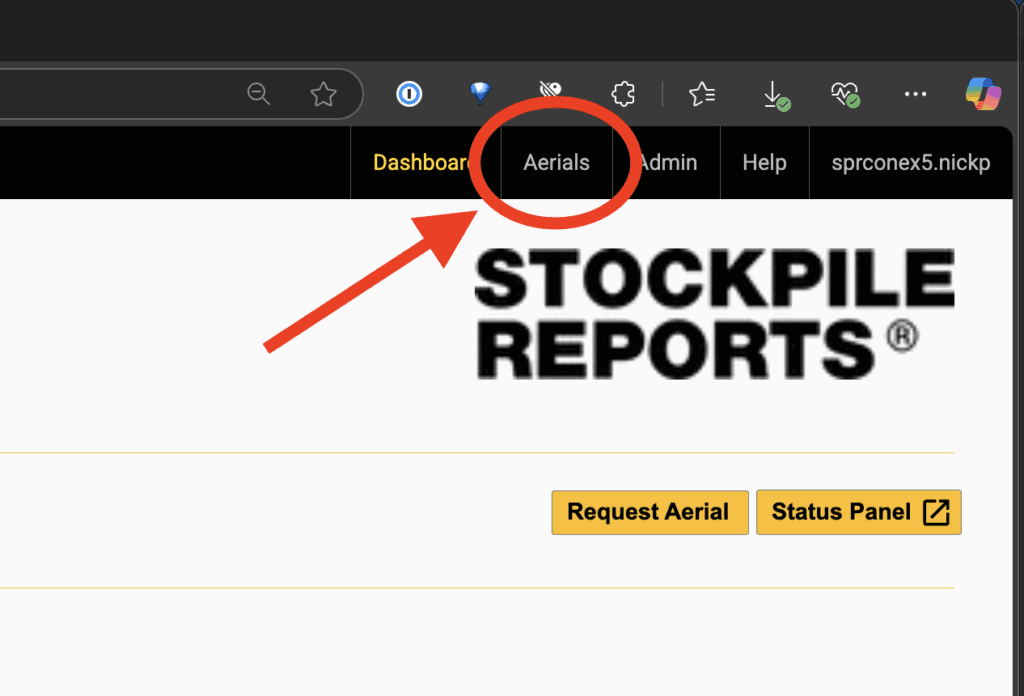
- Go to the Aerials tab in the Stockpile Reports web portal.
- Scroll to the Self Service Aerials section.
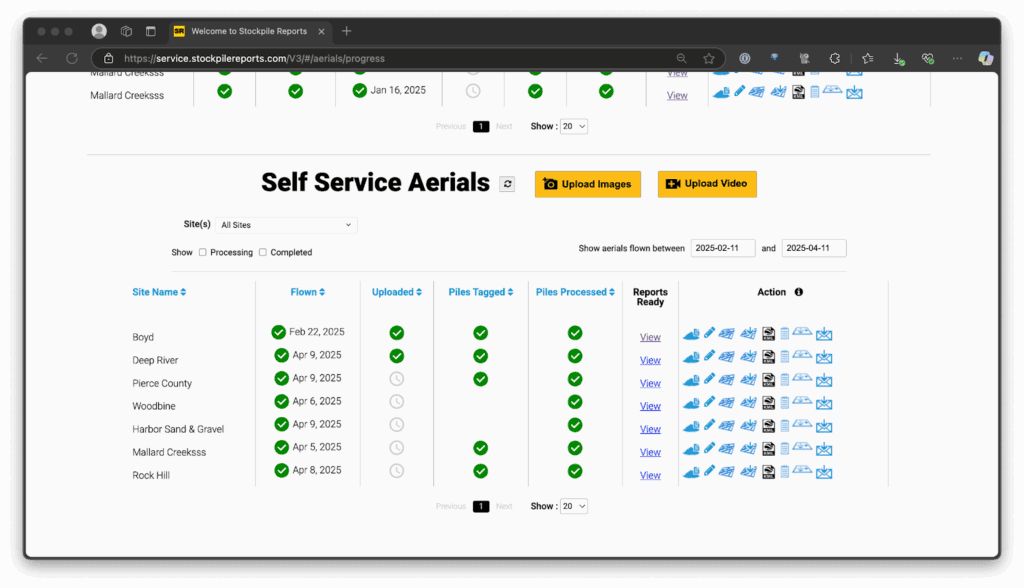
- Review your flight status in the table: Flown, Uploaded, Piles Tagged, Piles Processed.
- Flown: Date the flight was completed.
- Uploaded: Images received.
- Piles Tagged: Pile tags received for this flight.
- Piles Processed: Clock = still processing, checkmark = reports ready.
- View: Link to open reports.
- Select View under Reports Ready to open your report.