Describe your yard, or snap a photo of it. Your AI assistant builds the account in minutes.
A new Stockpile Reports account starts empty: no sites, no materials, no piles. Before your crew can measure, the system needs to know what is in your yard.
Connect Stockpile Reports to your AI assistant and setup becomes a conversation. Describe your operation the way you would to a new hire, or share a photo of the layout you already keep on paper. The assistant builds the account for you.
The one-minute video below shows the whole process in Claude.
Step 1: Connect your AI assistant
Add Stockpile Reports as a connector in Claude, ChatGPT, Gemini, or Microsoft Copilot, and sign in with your usual Stockpile Reports email and password. This connection, called the Stockpile Reports MCP, is available to every group account with a Business subscription, and a Business trial includes it. There is nothing extra to buy. On a Professional trial? Business is the plan that includes it.
The sign-in screen says it plainly: the assistant can only do what your own permissions allow.
Setup takes a few minutes and happens once. Step-by-step guides are at stockpilereports.ai/connect.html.
Step 2: Describe your operation
Talk to it like a new hire on day one. Name the site, list the materials you stock and the conversion factors you use to get from volume to tons, and say where each pile sits.
For example: "Bunker one is half inch crush. Bunker two is three-quarter. Bunker five is millings. The asphalt goes in the shed."
Type it or say it. It does not need to be neat or in order.
Prefer to type? Watch the two-minute version.
Step 3: Or share a photo
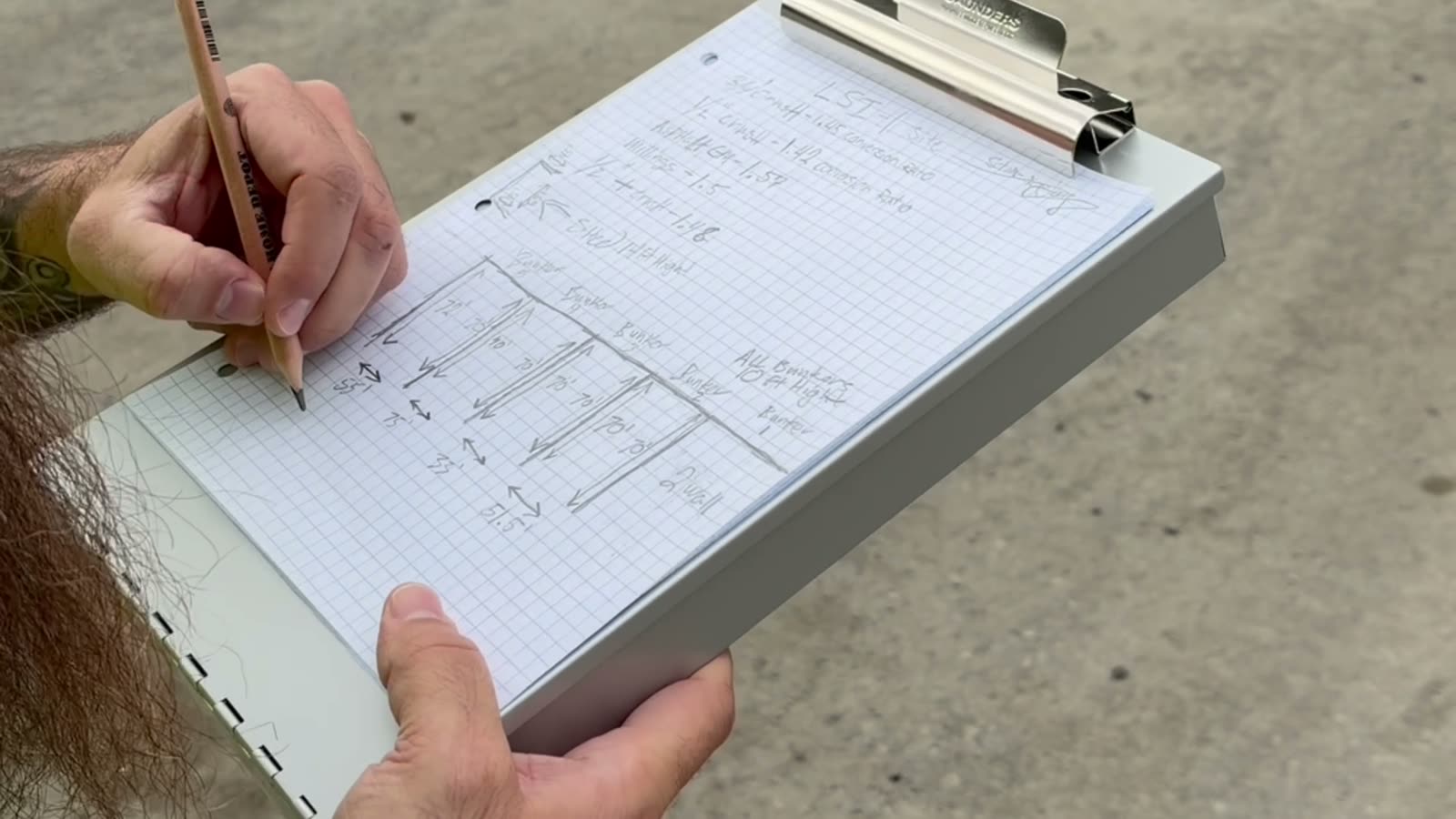
Most yards already have the layout written down: a clipboard in the scale house, a whiteboard, a sketch on graph paper. Snap a photo and share it. The assistant reads the piles, materials, and bunker sizes off the page.
Step 4: Answer its questions
In the video, the assistant read back what it understood and asked about anything unclear before it created anything. It asked:
- How each conversion factor was determined, since Stockpile Reports keeps a note with every factor
- Whether to reuse products already in the account or create new ones for this site
- Whether to place every bunker at the site's map pin for now and adjust later
- What one handwritten number was, where a digit had been written over another
In the video, it then showed the final list of products, bunkers, and piles, and created them once they were approved. Open the Stockpile Reports Web Application and the site is there, with every pile named and assigned its material.
Step 5: Invite your team
Give the assistant your team's email addresses and it sends the invitations. Once they accept, they can sign in to SR Measure® and start measuring.
Good to know
- Have your conversion factors handy. Tons are calculated only where a factor is set. Tell the assistant where each one came from (a supplier sheet, your own test, or a standard figure) and it records the source.
- Rough pile locations are fine. Without coordinates, the assistant can start each pile at the site's location. You can refine them later.
- The assistant sets up the account. Your crew measures. Volumes and tonnages come from the measurements your team takes with SR Measure.
- It keeps working after setup. Once your piles are measured, ask the same assistant about them and get answers grounded in your own measurements. Month-End Stockpile Inventory: What to Ask Your AI Assistant covers the questions worth asking before the books close. Physical AI 101 explains how the connection works.
The short version
Every yard starts the same way: someone has to tell the system what is in it. With Stockpile Reports in your AI assistant, that takes minutes. If you can describe your yard, you can set it up.
Not on Stockpile Reports yet? See plans and start a Business trial.
Every Pile, Any Time®